Animated Kick emoji generator
Animated Kick emoji maker
Describe the emoji, pick Animated, and get a looping GIF that is already Kick-sized: 128x128 pixels and 30 to 60 KB, under the 512 KB cap, with no compression step. Kick has separate animated emote slots and scales the GIF to chat size itself, so a small loop uploads as-is.
Any registered channel can upload animated emotes into their animated slots; viewers use them in that channel's chat.
Emojis you create are public and may appear in Explore.
Animated emojis people have made
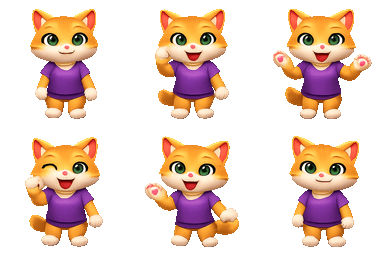
Real output from the generator, each one a 6-frame loop. Tap one to download it.





How to add an animated emoji to Kick
- 1
Turn Animated on, describe one motion, and download the 128 px GIF.
- 2
In the Creator Dashboard open Channel, then Emotes, and pick an animated emote slot.
- 3
Upload the GIF and give it a lowercase name of 4 to 25 characters.
- 4
It plays in your chat immediately at the sizes Kick renders.
Worth knowing before you upload
- The animated cap is 512 KB, tighter than the 1 MB for stills. A generated four-frame loop is a tenth of that.
- Upload the GIF into an animated slot, not a static one: a static slot keeps only the first frame.
- At 32 px in chat only a big single motion survives; a loop with small moving parts looks like a still that flickers.
How the animation is made
1. Describe one motion
A wave, a bounce, a spin, a dance. One action reads clearly at emoji size; a whole scene does not.
2. One drawing, six frames
The model draws a single 6-frame sheet of one picture, so the subject and colours match frame to frame instead of drifting.
3. Download for Kick
The loop is cut and encoded as a 128px GIF at 30 to 60 KB, then added with the steps above.
Animated Kick emoji FAQ
Does Kick support animated emotes?
Yes, in dedicated animated slots. The file is a GIF at 128×128 pixels under 512 KB, and Kick scales it down to the sizes shown in chat.
Why does my animated Kick emote not move?
It went into a static slot, which keeps the first frame only. Delete it and upload the same GIF into an animated slot.
How big can an animated Kick emote be?
Under 512 KB and 128 pixels square. A generated loop lands around 20 to 45 KB, so the cap is not the constraint; readability at 32 pixels is.