Animated Slack emoji generator
Animated Slack emoji maker
Describe the emoji, pick Animated, and get a looping GIF that is already Slack-sized: 128x128 pixels and 30 to 60 KB, under the 128 KB cap, with no compression step. Slack plays custom GIF emoji inline and in reactions, which is why the ones that stick are the small loops a team reacts with all day.
Anyone in the workspace can add one unless an admin has restricted emoji uploads, and every member can use it once it is in.
Emojis you create are public and may appear in Explore.
Animated emojis people have made
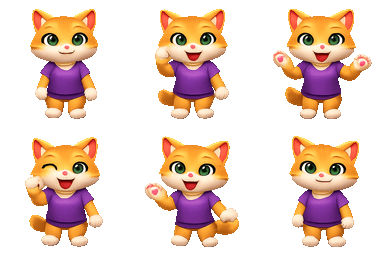
Real output from the generator, each one a 6-frame loop. Tap one to download it.





How to add an animated emoji to Slack
- 1
Switch the generator to Animated, describe one motion, and download the GIF it returns.
- 2
In Slack, open the emoji picker from any message field and choose Add Emoji.
- 3
Upload the GIF, give it a name like :ship-it-dance:, and save.
- 4
Type the name or pick it from the reaction tray; it loops wherever it appears.
Worth knowing before you upload
- 128 KB is the strictest cap of any chat app and Slack refuses a file one byte over. Our output is a fifth of that, which is the point.
- Slack shows emoji on light and dark themes alike, so a GIF with an opaque background reads as a square block in dark mode.
- A busy loop turns to mush at 22 px in a reaction. One clear motion, a wave or a bounce, survives the shrink; a scene does not.
How the animation is made
1. Describe one motion
A wave, a bounce, a spin, a dance. One action reads clearly at emoji size; a whole scene does not.
2. One drawing, six frames
The model draws a single 6-frame sheet of one picture, so the subject and colours match frame to frame instead of drifting.
3. Download for Slack
The loop is cut and encoded as a 128px GIF at 30 to 60 KB, then added with the steps above.
Animated Slack emoji FAQ
Why does Slack reject my animated emoji?
Almost always the 128 KB cap. A GIF taken from a search engine is usually one to five megabytes. A generated loop of four frames at 128 pixels lands between 20 and 45 KB, so it goes in first time without a compression step.
Do animated Slack emoji loop forever?
Yes. Slack plays custom GIF emoji on a loop in messages and in reactions, and there is no per-emoji setting to stop that, so a loop that reads well repeated is better than one that tells a story once.
Can I make an existing Slack emoji animated?
Not in place. Slack treats a name as one image, so you add the GIF under a new name or remove the still one first. Aliases let the old name point at the new file if the team already types it.