AI Wine Emoji Generator
Wine emoji maker
Need a custom wine emoji? Type a short description and the generator paints a glossy, high-resolution wine emoji with a transparent background - ready to download and use in any chat or workspace.
Emojis you create are public and may appear in Explore.
Ready-made wine emojis
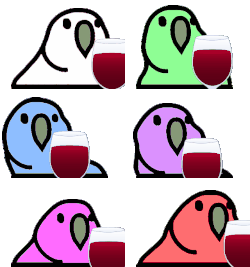
Free wine emojis you can download right now - or generate your own above.
How to make a wine emoji
1. Describe your wine
Type what you want - for example “Wine wearing sunglasses”. Add colors, mood, or style for a personal touch.
2. Generate with AI
Our AI renders a glossy, transparent wine emoji in about a minute. Tweak the prompt and regenerate any time.
3. Download & use
Save the PNG and add it to Slack, Discord, WhatsApp, or any app as a custom wine emoji or sticker.
Tips for a great wine emoji
- • Lead with the subject: start your prompt with “wine”.
- • Add one clear emotion or action - happy, angry, dancing, waving.
- • Name a style: 3D, pixel art, sticker, flat, or claymation.
- • Mention an accessory or color to make your wine emoji unique.
- • Keep it to one subject so the emoji stays crisp at small sizes.
Where to use a wine emoji
Every wine emoji downloads as a transparent PNG, so it drops cleanly into a Slack or Discord custom-emoji slot, a WhatsApp or iMessage sticker, a Notion or Figma board, a Twitch or YouTube channel, or anywhere you’d use a reaction. Generate a set of wine emojis to give your team chat or community its own personality.
Wine emoji FAQ
How do I make a wine emoji?
Type a description of the wine emoji you want into the box above and press generate. Our AI creates a custom, transparent-background wine emoji in about a minute, which you can download as a PNG and add to Slack, Discord, or any app.
Are these wine emojis free to use?
You can browse and download our 1+ ready-made wine emojis for free. AI-generated custom wine emojis use generation credits, with your first creation available to try at no cost.
What format are the wine emojis?
Generated wine emojis are high-resolution PNG files with transparent backgrounds, sized perfectly for chat apps, custom Slack/Discord emoji slots, stickers, and reactions.
Can I customize the wine emoji style?
Yes. Add details to your prompt - colors, accessories, mood, or art style - and the generator will tailor the wine emoji to match. Try the example prompts above to get started.
Where can I use a wine emoji?
Anywhere that accepts an image: Slack and Discord custom-emoji slots, WhatsApp and Telegram stickers, Twitch emotes, Microsoft Teams reactions, Notion, and more. The transparent PNG drops in cleanly on light or dark backgrounds.