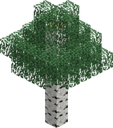
Tree
This lush tree from the world of Minecraft. Its towering trunk, adorned with vibrant leaves and branches, is a testament to nature's beauty and the bountiful resources available within the game. The Minecraft tree represents the cycle of life, providing shelter, sustenance, and materials for crafting.
How to add this emoji
Download it above, then follow the steps for wherever you are posting.
Recommended size: 128×128 px, under 128 KB (PNG or GIF)
- 1.Download the PNG above, then match it to the size and format named here.
- 2.In Slack, click the emoji button in any message field, then ‘Add Emoji’.
- 3.Upload the PNG, give it a name (e.g. :ship-it:), and save.
- 4.React with it or type its name in any channel or DM.
Suggested name: :minecraft-tree:

Turn your friends into iconic custom emojis
Start generating legendary custom emojis through web, Discord, or Slack.