Discord Emote Pack
One photo in, a full set of matching server emoji out.

One selfie, nothing else
- Crying laughing

- This is fine
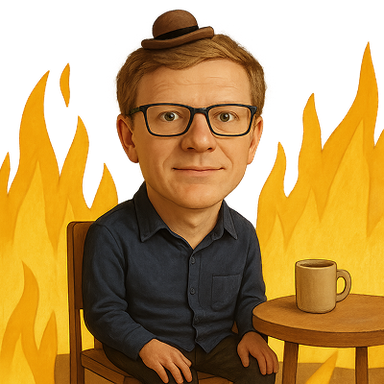
- Disaster girl

- Mind blown

- Partying

- Determined
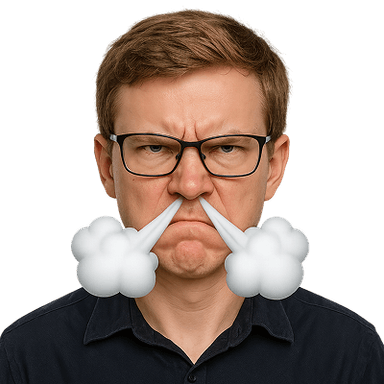
- Woozy

- Facepalm

- Innocent

- Sweating
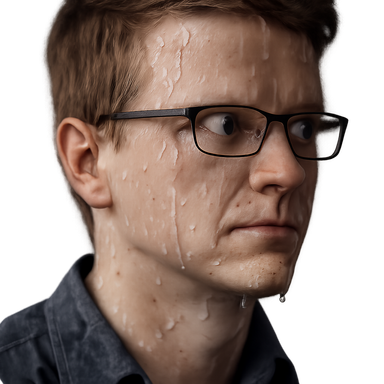
- Pog

- Think smart

- Success

- Sipping tea

- One does not simply

- Cheers

- Tell me more

One photo in, a whole matched set out. Every emote is the same person, so the set reads as a set.
Why a set beats one-off emoji
A server with one custom emoji looks like an accident. A server with a matched set of the same person reacting seventeen different ways looks like it has a culture, and members actually use them because there is one for whatever they want to say.
Every server has emoji slots to fill, and boosting adds more. A matched set fills them with something coherent instead of a pile of unrelated images collected over a year.
The emoji Discord users reach for most
- Crying laughing
- Mind blown
- Woozy
- Sipping tea
Every pack includes all 17 expressions, not just these. See the full set.
Sized for Discord
Discord emoji are 128×128 px, under 256 KB (PNG or GIF). The ZIP contains a discord folder already at that size, plus 1024px masters.
- 1Download your emoji as a transparent PNG (or GIF for animated).
- 2Open Server Settings → Emoji → Upload Emoji.
- 3Name it and save; it’s now available to members as :name:.
- 4Use it in messages or as a reaction. (Typing an animated emoji needs Nitro; every server has animated slots without boosting.)
What it would cost otherwise
Commissioning a server emoji set from an artist runs into the hundreds and takes days. This is one upload and about a minute.
- 17 matching emoji of the same face
- Sized and compressed for Discord
- Transparent PNGs, delivered as a ZIP
- Yours to use commercially
- Full refund if any emoji fails
$4.99 for 17 emoji
One photo. Sized for Discord and delivered as a ZIP.
Make your emoji packOne-time payment. Full refund if any emoji fails to generate.
Discord emoji pack questions
What size are Discord custom emoji?
Discord takes 128x128 pixel images under 256 KB. The pack includes a Discord folder already at that size and comfortably under the limit.
How do I add a whole set at once?
Open Server Settings, then Emoji, then Upload Emoji, and select all the files from the discord folder in the ZIP. Discord names each one from its filename, which the pack sets to a sensible shortcode.
Can I use them on more than one server?
Yes. The emotes are yours, so you can upload the same set to as many servers as you like.
Do these work as animated emoji?
No, these are static transparent PNGs. Animated emoji also require a boosted server or Nitro to use.